Color Sort
Rating
5
Orientation
Portrait
Release Date
2026-08-06
Play Color Sort Free Online Game
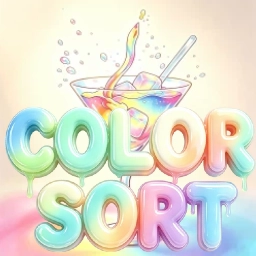
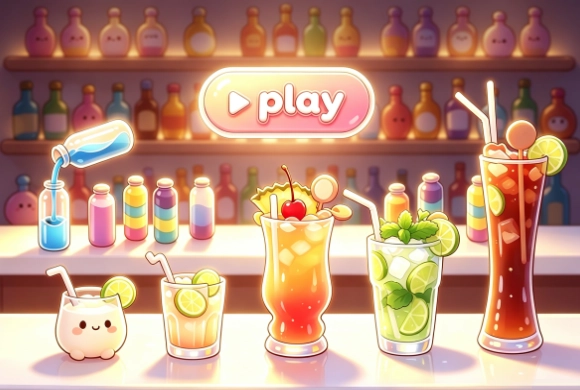
Color Sort is a relaxing and brain-teasing cocktail-themed liquid sorting puzzle game designed for instant entertainment directly in your web browser. Set against a charming bar aesthetic, your goal is to match and sort mixed layers of colorful drinks into their respective bottles. Each level presents a unique tactical grid filled with partially filled glass containers. By pouring identical colored liquids together, you gradually clear mixed containers until every bottle holds a single, beautifully mixed drink color. Featuring intuitive controls, satisfying pouring sound effects, and clean visual mechanics, Color Sort offers an engaging challenge for puzzle lovers. Play Color Sort online free today without any downloads needed and master the art of drink sorting!
Key Game Features
Cocktail Lounge Theme: Sort vibrant drink layers inside sleek glass bottles surrounded by a stylish bar counter environment.
Liquid Pouring Strategy: Transfer matching top liquid layers one color at a time to complete single-color bottles efficiently.
Helpful In-Game Boosters: Utilize handy tools like Shuffle, Undo, or Add Bottle to navigate around tight sorting situations.
How to Play & Master
To win in Color Sort, your primary objective is to organize all colored liquids until each bottle contains only one uniform cocktail shade. Observe the arrangement of mixed colors across all active glass containers on the table.
Click or tap on a bottle to select it, then tap an adjacent or open container to pour the top layer of liquid over. Remember that you can only pour liquid if the target bottle has open capacity and its top layer matches the color you are pouring! Empty bottles provide valuable space to hold intermediate colors. Plan your pouring sequences strategically to avoid running out of valid moves. Complete every uniform bottle to clear the counter and progress to higher cocktail-mixing stages!
Game Controls
Mouse / Touch Screen: Tap or click a glass bottle to pick up its top liquid layer, then tap another bottle to pour it in.
Frequently Asked Questions
Q: Is Color Sort free to play online?
A: Yes, Color Sort is completely free to play on your web browser with no download or installation required.
Q: What should I do if no valid pouring moves remain?
A: You can tap the "Add Bottle" button at the bottom to get an extra empty container or use "Undo" to reverse your previous steps.













 338.1K